Slide 1.1 · Intro Layout: title + photo

Instructional Designer · eLearning Developer · Atlanta

Training people actually use.

I design interactive eLearning, assessments, and video for frontline teams. I spent years on the frontline myself, so I build for the real job, not just the LMS.

Portrait of Sarah Whitfield
Your designer, not a stock photo.
ON SCREEN
Title, headline, portrait. Start button pulses once.
VOICEOVER
"Hi, I'm Sarah. Let me show you how I build training that sticks."
INTERACTION
Learner selects Start the course to continue.

Course outline

  1. 1.0 Intro
  2. 2.0 Selected work
  3. 3.0 How I design
  4. 4.0 Knowledge check
  5. 5.0 Designer profile
  6. 6.0 Completion
Module 2.0

Selected work

Every project is storyboarded the way I'd hand it off: the objective, what I built it with, and what changed.

Slide 2.1 Interactive eLearning

Title screen of the Understanding FMLA and ADA eLearning course

Understanding FMLA & ADA: Recognizing Qualifiers in the Workplace

OBJECTIVE
Understand FMLA and ADA benefits as a Cortland employee.
BUILT WITH
Articulate Storyline 360
RESULT
93% of employees surveyed said they better understood their benefits.
Launch project
Slide 2.2 Video training
Title card of the Scheduling FAS Through Browser training video

Scheduling FAS Through Browser

OBJECTIVE
Teach on-site community managers and assistant community managers how to schedule final account statements (FAS) through a browser.
BUILT WITH
Camtasia
RESULT
FAS scheduling improved by 32%.
Launch project
Slide 2.3 eLearning module
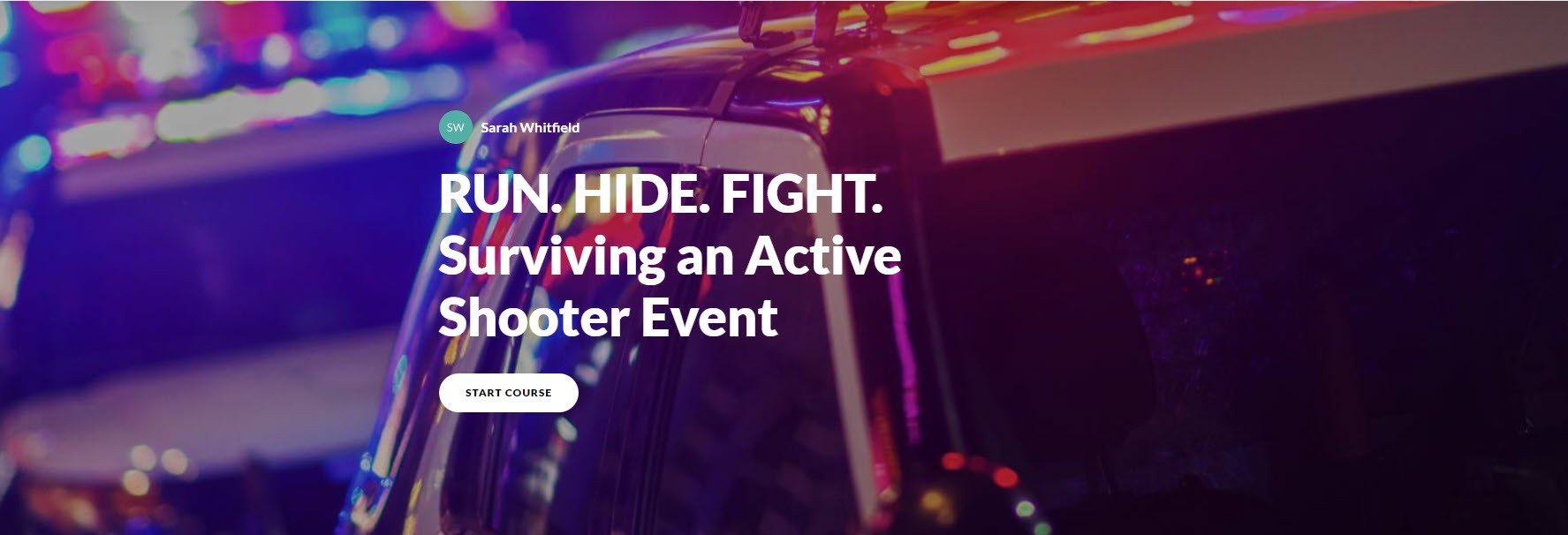
Cover screen of the Run. Hide. Fight. active shooter awareness course

Run. Hide. Fight. Surviving an Active Shooter Event

OBJECTIVE
Know how to respond to an active shooter situation at a community or CSC, using the Community Emergency Plan.
BUILT WITH
Articulate Rise 360
RESULT
Communities and CSCs now have active shooter response plans in place and ready to use.
Module 3.0

Start with the job. End with proof it worked.

  1. 1

    Find the real need

    What do people need to do differently on the job, and is training even the right fix?

  2. 2

    Build it with the experts

    Work side by side with subject matter experts to turn what they know into something a new hire can follow.

  3. 3

    Make it worth watching

    Interactive modules and video that hold attention, with practice built in, not tacked on.

  4. 4

    Check and improve

    Assessments that measure real skills, and an honest look at existing courses to see what's working.

Module 4.0 · Knowledge check Question 1 of 1

Try one of mine.

A scenario question like the ones I write for real courses. Pick an answer to see the feedback.

A new leasing team keeps making mistakes in the move-in process. Their manager asks for a training course. What's the best first step?

Module 5.0

Designer profile

Every course I build starts with a learner persona. Here's mine.

Sarah Whitfield
Sarah Whitfield
Instructional Designer · Atlanta, GA
BACKGROUND
Started at Cortland leading tours and move-ins, trained new hires in resident experience, then became the company's instructional designer.
SUPERPOWER
Has been the learner. Knows what frontline teams will actually click through and what they'll skip.
PLOT TWIST
Working actor and former Six Flags entertainment manager. Comfortable on camera, behind the mic, and running a production.
EDUCATION
BA, University of Georgia
TOOLKIT
  • Storyline 360
  • Rise 360
  • Camtasia
  • Premiere Pro
  • After Effects
  • Photoshop
  • InDesign
  • LMS admin
  • Voiceover
  • Asana
CERTIFICATE OF COMPLETION

You've completed

Meet Sarah Whitfield

100%

Next step: start a conversation about your team's training.

Email Sarah LinkedIn Download resume
sarahelainestratton@gmail.com Atlanta, GA